
Live television remains one of the most important sources of entertainment for millions of viewers. From breaking news and live sports to award ceremonies and special broadcasts, some programs are designed to be experienced in real time.
However, not everyone has access to a DVR (Digital Video Recorder), and many cable or streaming providers charge extra fees for DVR services.
If you have ever missed an important show and wondered whether there is a way to record live TV without upgrading your subscription, the answer is yes.
There are multiple alternative methods available today that allow viewers to record live broadcasts without relying on a traditional DVR box.
Understanding how to record live TV without a DVR helps you maintain flexibility, reduce monthly expenses, and build a customized home entertainment setup.
In this complete guide, you will learn practical recording methods, required equipment, step-by-step setup processes, storage tips, and troubleshooting solutions.
Why People Want to Record Live TV Without a DVR
DVR services are convenient, but they come with limitations. Some providers charge monthly rental fees for DVR boxes. Others restrict storage capacity or limit how long recordings remain available.
In certain cases, basic cable or antenna users do not have DVR options at all.
Common reasons viewers look for alternatives include:
- Avoiding monthly DVR subscription fees
- Using an antenna TV without a built-in recording
- Limited DVR storage capacity
- Wanting long-term control over recorded content
- Using streaming platforms without premium plans
By learning how to record live TV without a DVR, you gain greater control over how and where your recordings are stored.
Understanding the Difference Between DVR and Alternative Recording Methods
A traditional DVR records live TV signals directly onto an internal hard drive built into the cable or satellite box. It integrates seamlessly with the TV provider’s channel system.
Alternative recording methods, however, rely on external devices, Smart TV features, cloud services, or computer-based recording systems.
While they may require more setup, they can be just as effective and often more affordable in the long term.
How to Record Live TV without a DVR
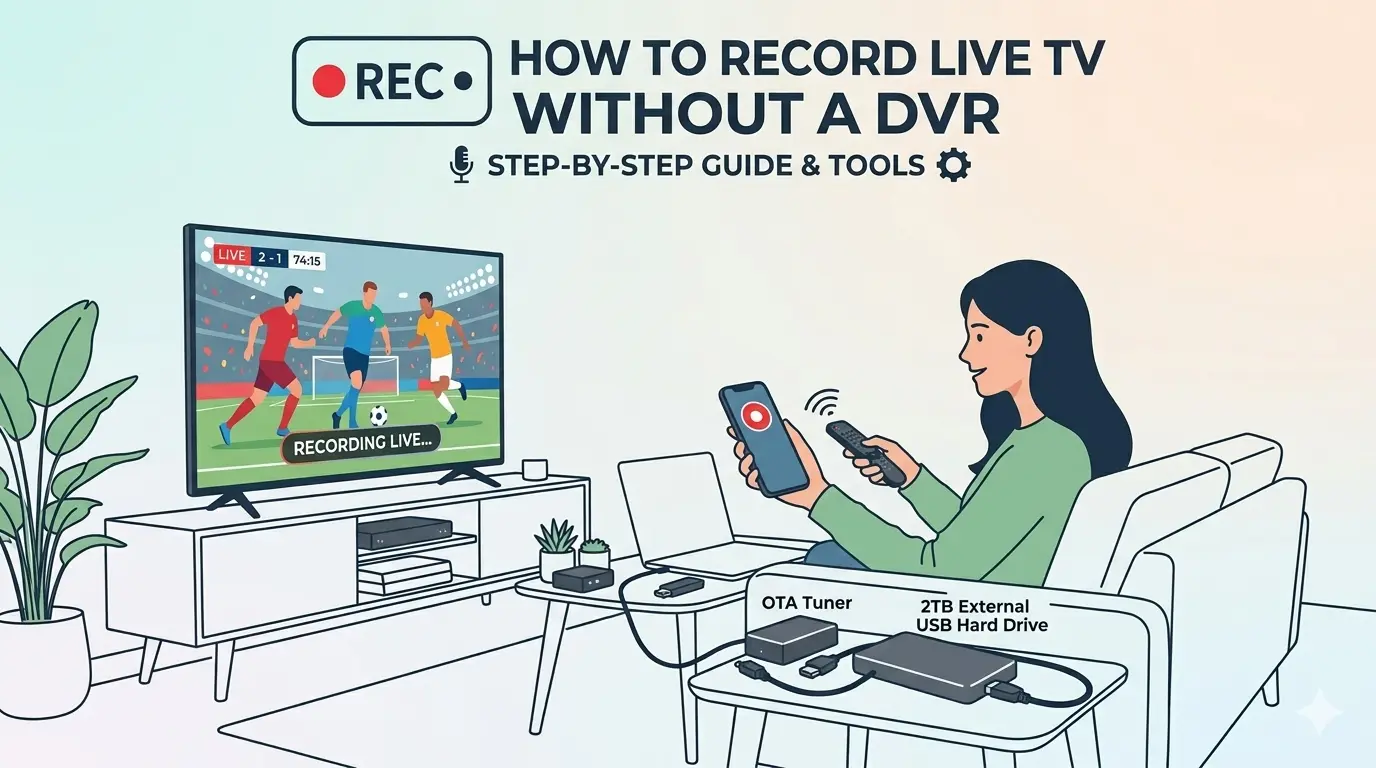
Method 1: Use an External Digital TV Recorder
One of the most reliable ways to record live TV without a DVR is to use an external digital TV recorder.
How It Works
External digital TV recorders connect directly to your antenna or cable source and store programs on an external hard drive or USB storage device. These devices operate independently of your cable provider.
Step-by-Step Setup
- Connect the antenna or cable feed to the recorder.
- Connect the recorder to your TV via HDMI.
- Insert a USB drive or connect an external hard drive.
- Scan channels through the device menu.
- Schedule recordings using the on-screen guide.
Advantages
- No monthly fees
- Long-term storage control
- Works well with over-the-air broadcasts
Limitations
- Initial hardware cost
- May not work with encrypted cable signals
This method is ideal for antenna TV users.
Method 2: Record Live TV Using Smart TV USB Recording
Many modern Smart TVs include a built-in recording feature for antenna broadcasts.
How to Set It Up
- Insert a compatible USB flash drive into the TV.
- Format the USB through TV settings.
- While watching live TV, select the record option.
- Schedule future recordings if supported.
Important Notes
- This feature typically works only with antenna TV.
- Some TVs encrypt recordings, meaning they can only be played back on that specific TV.
Still, it is one of the easiest ways to record live broadcasts without additional equipment.
Method 3: Use Streaming Services with Cloud Recording
If you watch live TV through streaming platforms, cloud recording is often available — even without a physical DVR.
How Cloud Recording Works
Cloud recording stores your recorded programs on remote servers instead of physical storage devices. You can access recordings through your account on any supported device.
Benefits
- No hardware required
- Access recordings on multiple devices
- No local storage management
Limitations
- Storage limits may apply
- Recordings may expire after a set period
Cloud recording is especially useful for live sports and news programs.
Method 4: Use a Video Capture Card with a Computer
A video capture card allows you to record HDMI output from a cable box or streaming device directly to a computer.
Equipment Required
- HDMI capture card
- Computer with recording software
- HDMI cables
Setup Process
- Connect the TV source device to the capture card.
- Connect the capture card to the computer.
- Open recording software.
- Start recording during live playback.
Advantages
- High-quality recordings
- Full storage control
- Works with multiple video sources
Drawbacks
- More technical setup
- Requires additional hardware
This method is best for advanced users.
Method 5: Use Media Center Software
Computer-based media center software can record live TV when connected to a compatible tuner device.
This setup is popular among users who want full control over recording schedules, storage formats, and playback options.
While more complex, it provides DVR-like functionality without a service provider’s hardware.
Recording Live Sports Without a DVR
Live sports are one of the main reasons viewers seek recording solutions.
To record sports without a DVR:
- Use cloud recording through streaming platforms
- Record via capture card during live broadcast
- Check if official sports apps provide replay access
Keep in mind that high-definition sports broadcasts require significant storage space.
Storage Considerations When Recording Live TV
Recording live TV consumes storage depending on video quality.
Approximate storage usage:
- 1 hour of SD video: 1–2 GB
- 1 hour of HD video: 3–7 GB
- 1 hour of 4K video: 10+ GB
Use high-capacity external drives if you plan to record regularly.
Regularly delete watched content to free up space.
Troubleshooting Common Recording Problems
Problem: Recording Stops Unexpectedly
Cause: Insufficient storage space or power interruption.
Solution: Check available storage and ensure a stable power supply.
Problem: Poor Video Quality
Cause: Weak signal or low internet speed.
Solution: Improve signal reception or internet connectivity.
Problem: Recording Not Saving
Cause: Incorrect device formatting or compatibility issues.
Solution: Reformat the storage device and update firmware.
Legal and Ethical Considerations
Recording live TV for personal use is generally acceptable in many regions. However:
- Do not redistribute recorded content.
- Do not upload recordings online.
- Respect the service provider’s terms.
Always use recordings for private viewing only.
Comparing DVR vs Non-DVR Recording
| Feature | DVR | Alternative Methods |
|---|---|---|
| Monthly Fee | Often required | Usually none |
| Hardware Provided | Yes | Self-purchased |
| Storage Limit | Provider-controlled | User-controlled |
| Portability | Limited | High (external drives) |
Alternatives provide flexibility but require more setup effort.
Best Method Based on TV Type
- Antenna TV → External recorder or USB recording
- Cable TV → Capture card or cloud streaming
- Streaming TV → Cloud recording
- Multi-device users → Cloud or computer recording
Choosing the right method depends on your existing setup.
Is Recording Without a DVR Worth It?
If you want flexibility and long-term cost savings, recording live TV without a DVR can be highly beneficial.
While DVRs offer convenience, alternative methods provide:
- More storage control
- No rental fees
- Cross-device compatibility
- Custom recording quality
With the right equipment, you can create a system that works just as effectively.
Conclusion
Understanding how to record live TV without a DVR gives viewers greater freedom and control over their entertainment systems.
Whether using external recorders, Smart TV USB storage, cloud recording, or video capture cards, there are multiple reliable alternatives available today.
Each method offers unique advantages depending on your TV service, technical comfort level, and storage needs.
By choosing the right setup and maintaining proper storage management, you can enjoy recorded live television without paying monthly DVR fees.
Modern technology has made recording live TV more flexible than ever. With the right approach, you can build a cost-effective, customized recording system that perfectly fits your household’s needs.
Frequently Asked Questions
Q. Can I record cable TV without a DVR subscription?
Ans: Yes, using external recording devices or HDMI capture cards.
Q. Is cloud recording better than physical recording?
Ans: Cloud is convenient, but physical storage gives full ownership.
Q. Do all Smart TVs support recording?
Ans: No, most support recording only for antenna TV.
Q. Is the internet required to record live TV?
Ans: Only for streaming-based recording methods.
Read Also:
How Parental Controls Work on TV Services
How to Set Up Streaming TV on Smart TV
How to Set Up Cable TV at Home